Updated Amazon Product Image Zoom
[caption id=“attachment_849” align=“alignnone” width=“540” caption=“While Mousing Over Product Image”]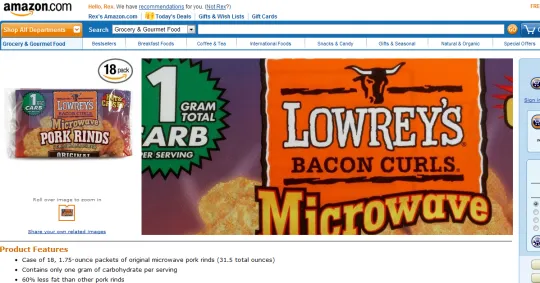 [/caption]
While surfing Amazon via slickdeals today, I noticed this updated product image zoom technique on Amazon. Not sure if this technique is necessary, but on the surface it seems a net improvement in utility for Amazon’s customers.
[caption id=“attachment_848” align=“alignnone” width=“540” caption=“Before Mouse Over of Image”]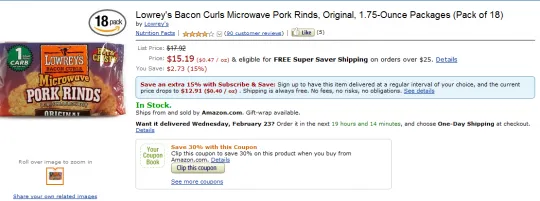 [/caption]
Before mousing over the product image (seen on the left), this product page looks like any other product page on Amazon.
[caption id=“attachment_850” align=“alignnone” width=“292” caption=“The Zoomed Selector Range”]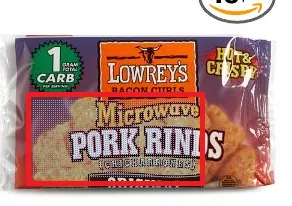 [/caption]
While you mouse over the product image, you see a blue dot texture indicating what part of the product image you are zooming into.
[caption id=“attachment_851” align=“alignnone” width=“540” caption=“Mouse Over of Product Image”]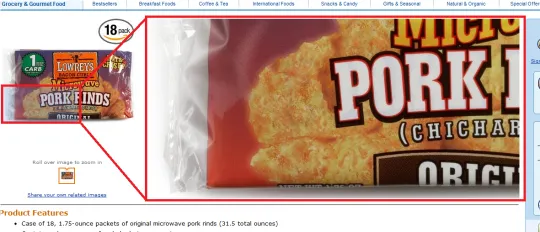 [/caption]
Mousing over the bottom left corner replaces the product description section with a corresponding bottom left product zoom.
[caption id=“attachment_852” align=“alignnone” width=“540” caption=“Product Image Mouse Tracks to the Right”]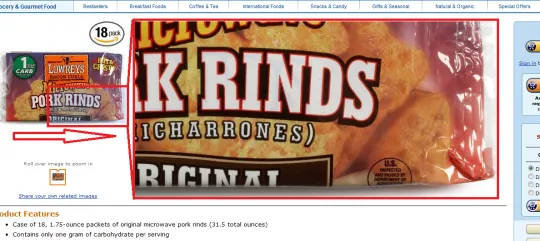 [/caption]
As you move your mouse to the right of the product image, you can see that the product zoom tracks accordingly.
[caption id=“attachment_853” align=“alignnone” width=“540” caption=“Product Page without Mouse Over”][/caption]
Once your mouse leaves the product image on the left, the screen returns to normal. You can now see the product description again.
Regarding when this update was rolled out or what browsers this works in, I don’t have definitive answers. I noticed this product image zoom update today while using Chrome at the product page.
As for its conversion rate, I did not buy the product. Either their internal testing shows an increase in purchases with this rollout or I got put into a testing sample. I could see this product image zoom technique become useful for products with hard to read text (such as food ingredient labels).